
The oldest MicroScribe in existence, running the newest software in existence.
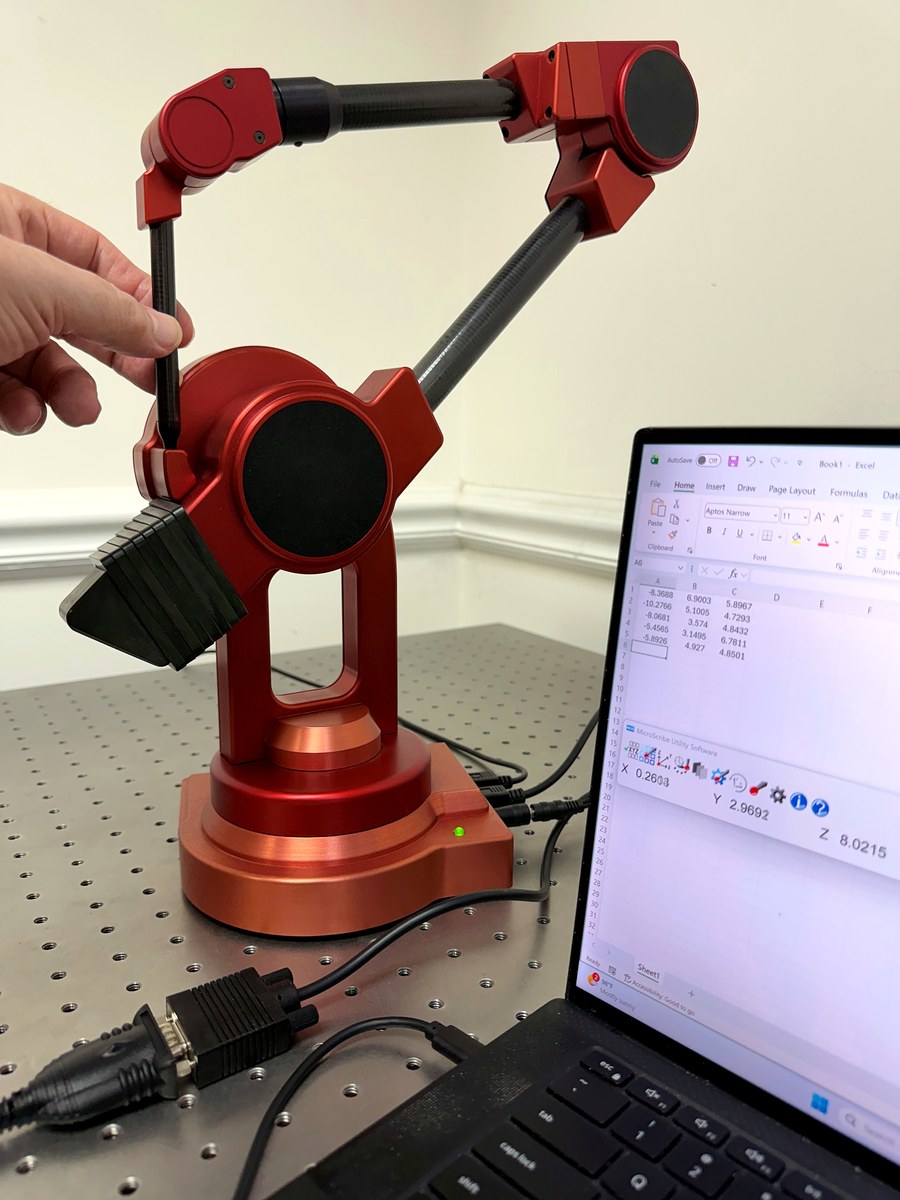
How do you connect a thirty-year-old MicroScribe to a brand-new computer?
Tuesday I said that question deserved a post of its own. So I researched it by going to the archives and pulling out unit 0.
This is the first and only surviving MicroScribe pre-production prototype, the very arm that introduced the MicroScribe to the world at NAB in April 1995. Like all MicroScribe 3D series arms, it is a serial device. USB did not yet exist.
I connected it to the USB-C port of my Windows 11 laptop through an inexpensive serial-to-USB converter. Turned it on. Started MUS 8, the next release of our utility software and today’s newest, reaching back to touch the very first device.
About five seconds later it was reporting live data.
No driver hunt, no legacy mode, no settings, no intervention of any kind. ArmDll64 saw a serial connection, set up the right path, and got out of the way. The oldest MicroScribe in existence, running the newest software in existence. I just plugged it in.
Last week I wrote that longevity is engineered in. This is what that looks like in practice. When we say we support every arm we have ever made, the sentence starts at unit 0 and includes all 12,000+ arms delivered since then.
So if you have an early serial arm on a shelf or in a closet somewhere, here is the entire modernization procedure: buy an ordinary serial-to-USB converter, plug it in, and measure. If anything does not click on the first try, make sure its drivers are up to date from the manufacturer. Unlike a MicroScribe, converters do require drivers. If it still does not work send me a note and we will sort it out.
And yes, you read that right. MUS 8 is coming. More on that soon.
About Revware
Revware provides high, quality, simple to use, innovative, cost-effective modeling solutions to solve your design, metrology, and engineering problems.